Resume and progress
Video resume
YouTube, Vimeo and uploaded videos reopen where you stopped.
Features
Resume to the second, build courses from blocks and make training required. Type a word to find any feature.
YouTube, Vimeo, Spotify and uploaded videos reopen where you stopped.

Build each step from blocks, upload video up to 1 GB and publish when the checklist is complete.

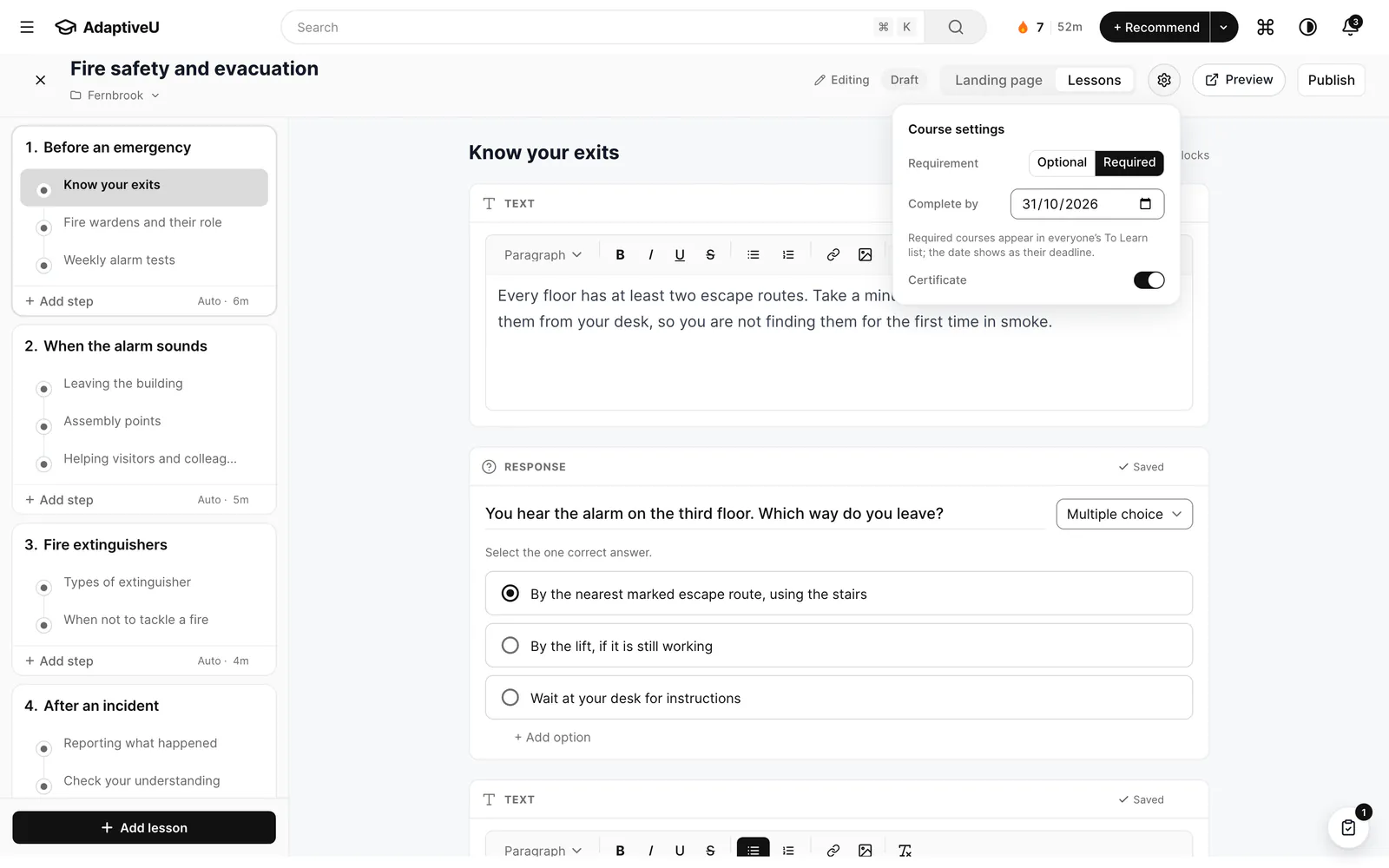
Set a course to Required with a Complete by date. It shows on everyone’s To Learn list.

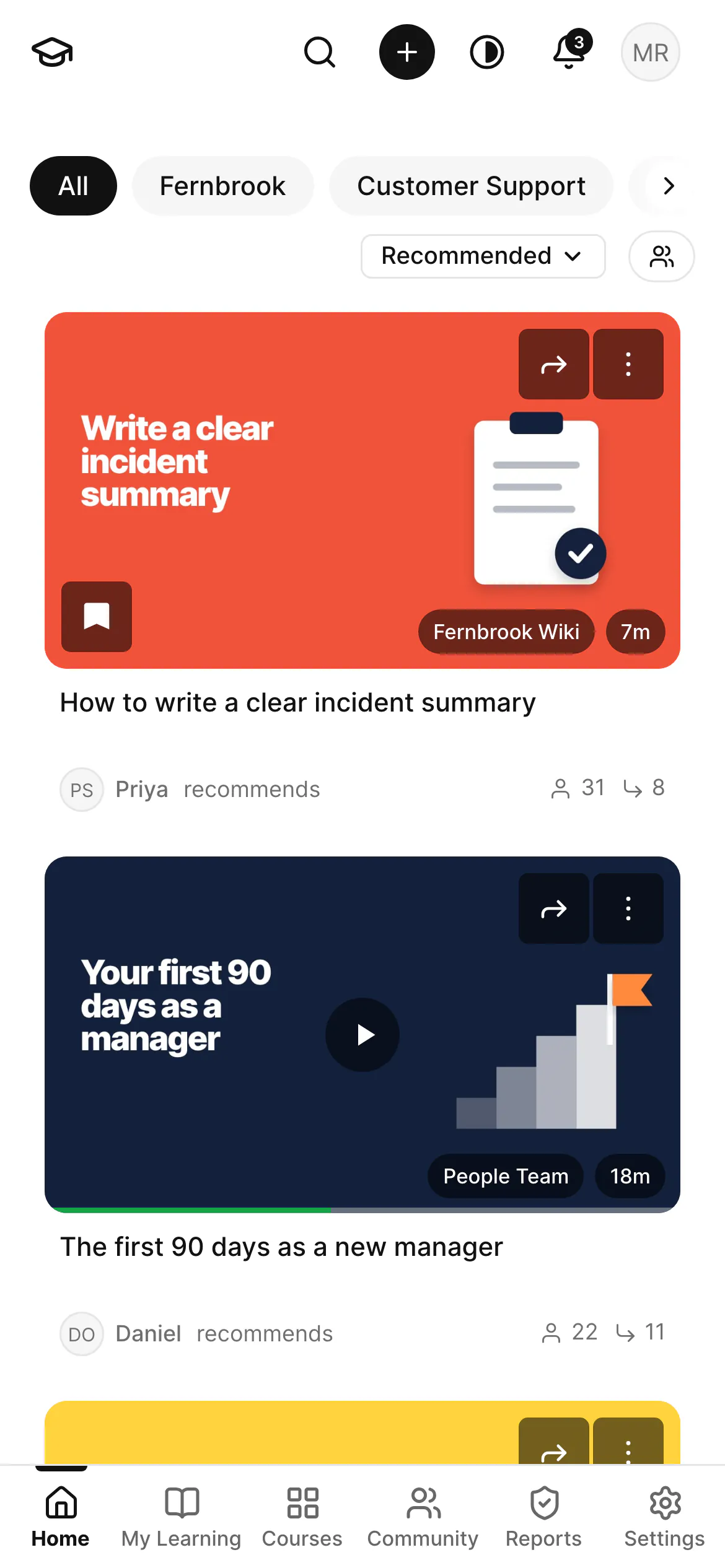
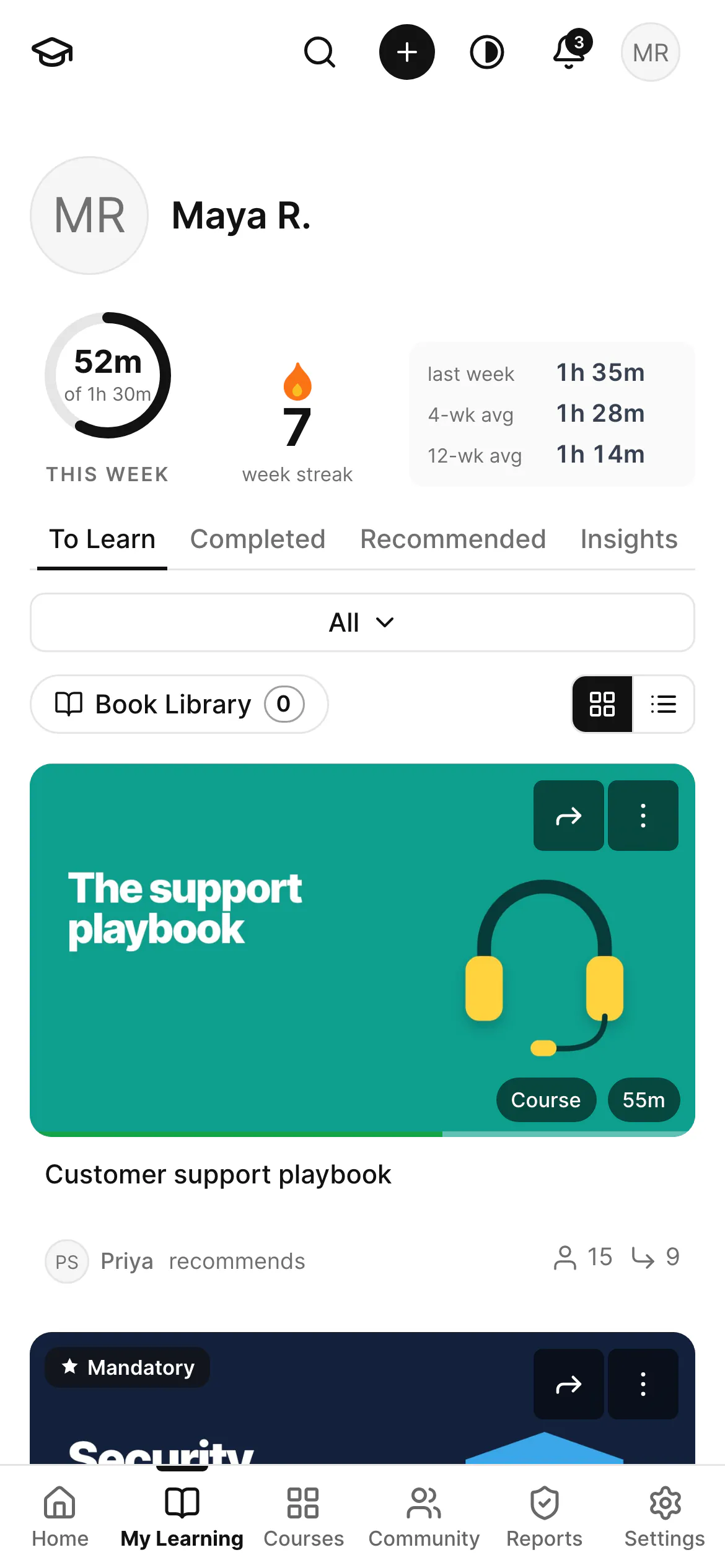
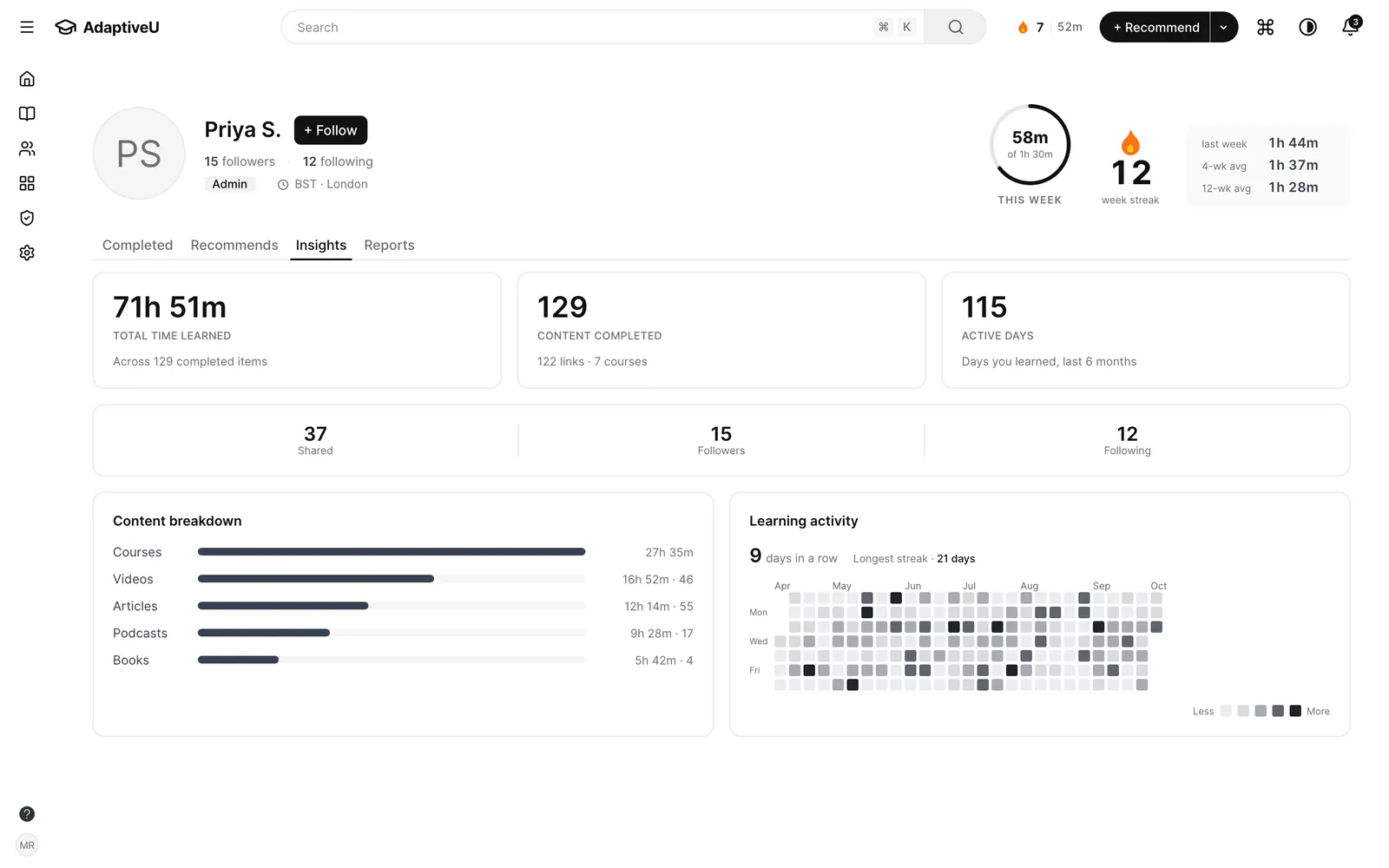
Weekly goals, week streaks and a daily heatmap show where learning time goes.

YouTube, Vimeo, Spotify and uploaded videos reopen where you stopped.
Build each step from blocks, upload video up to 1 GB and publish when the checklist is complete.
Set a course to Required with a Complete by date. It shows on everyone’s To Learn list.
Weekly goals, week streaks and a daily heatmap show where learning time goes.
All features
Resume and progress
YouTube, Vimeo and uploaded videos reopen where you stopped.
Resume and progress
Continue takes you to your first unfinished step.
Resume and progress
The player and every course card show your progress.
Resume and progress
The player shows time still to go, like 42m left.
Resume and progress
Video, article and podcast cards show how far you got.
Resume and progress
Update progress on books and anything 60 minutes or longer.
Resume and progress
Log your reading progress and the day you finished.
Resume and progress
Clear your progress on anything you have partly done.
Resume and progress
Lessons never complete on their own.
Resume and progress
Queue any link or course in one click.
Resume and progress
Content credits its length once, even when reused in courses.
Resume and progress
Deleted content stays in your history, marked Removed.
Course builder
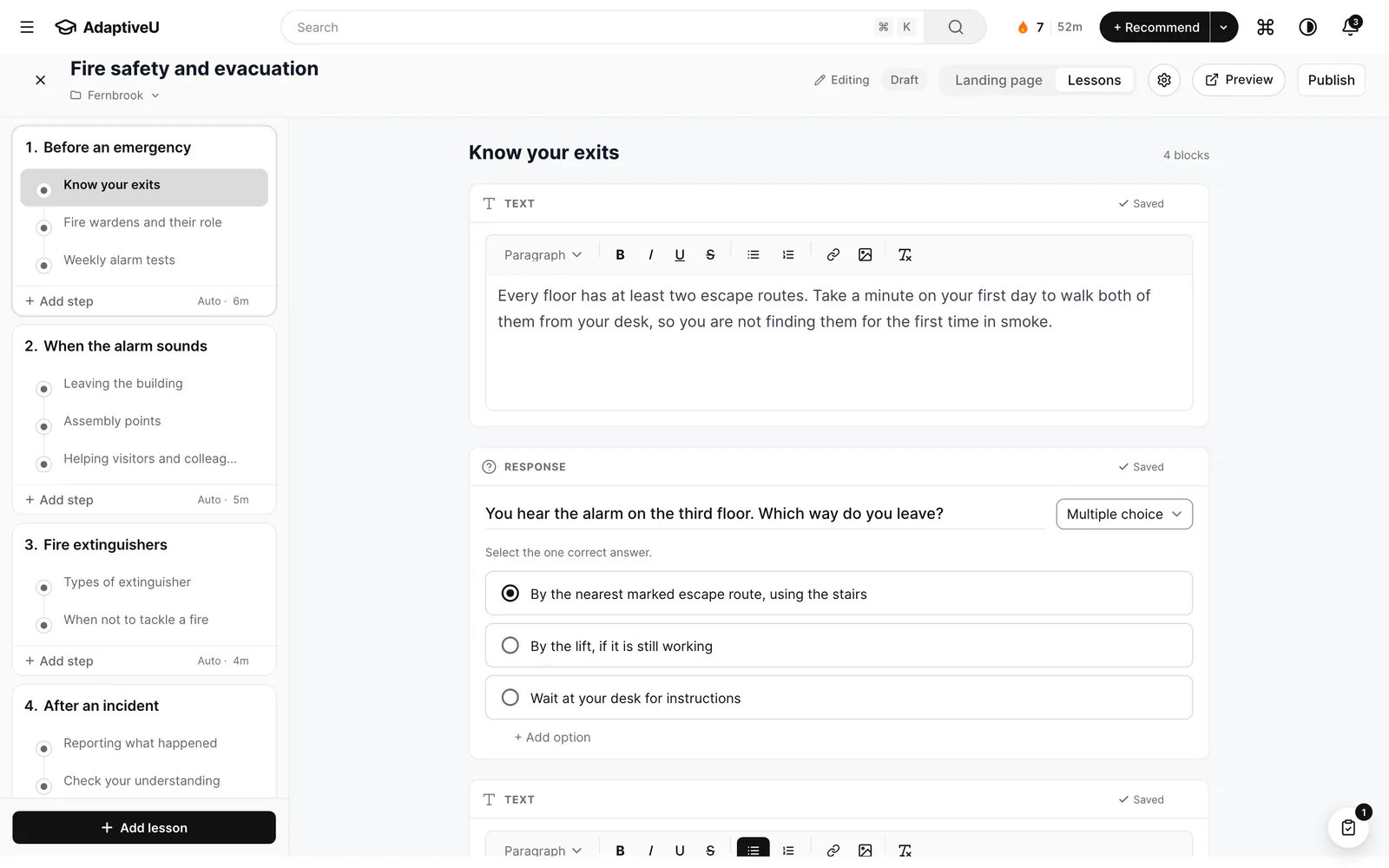
Every change saves itself as you work.
Course builder
Combine Text, Video / link, File and Response blocks.
Course builder
Upload MP4, MOV or WebM files up to 1 GB.
Course builder
Record your screen and microphone inside a course step.
Course builder
Use any workspace link as a course step.
Course builder
Google Drive and Docs files open inside the course.
Course builder
Title, thumbnail and duration fill themselves in.
Course builder
Move lessons, steps and blocks by mouse or keyboard.
Course builder
Lesson length is estimated, and you can override it.
Course builder
Edit the cover, overview, objectives and skills learners see first.
Course builder
See what is required and jump straight to each field.
Course builder
Short answers to the questions authors ask most.
Course builder
Edits to a live course stay private until you publish.
Course builder
See your course as learners do, with tracking off.
Course builder
Restore archived courses, or duplicate one to start the next.
Taking courses
See objectives, length, lessons and colleagues’ takeaways before you start.
Taking courses
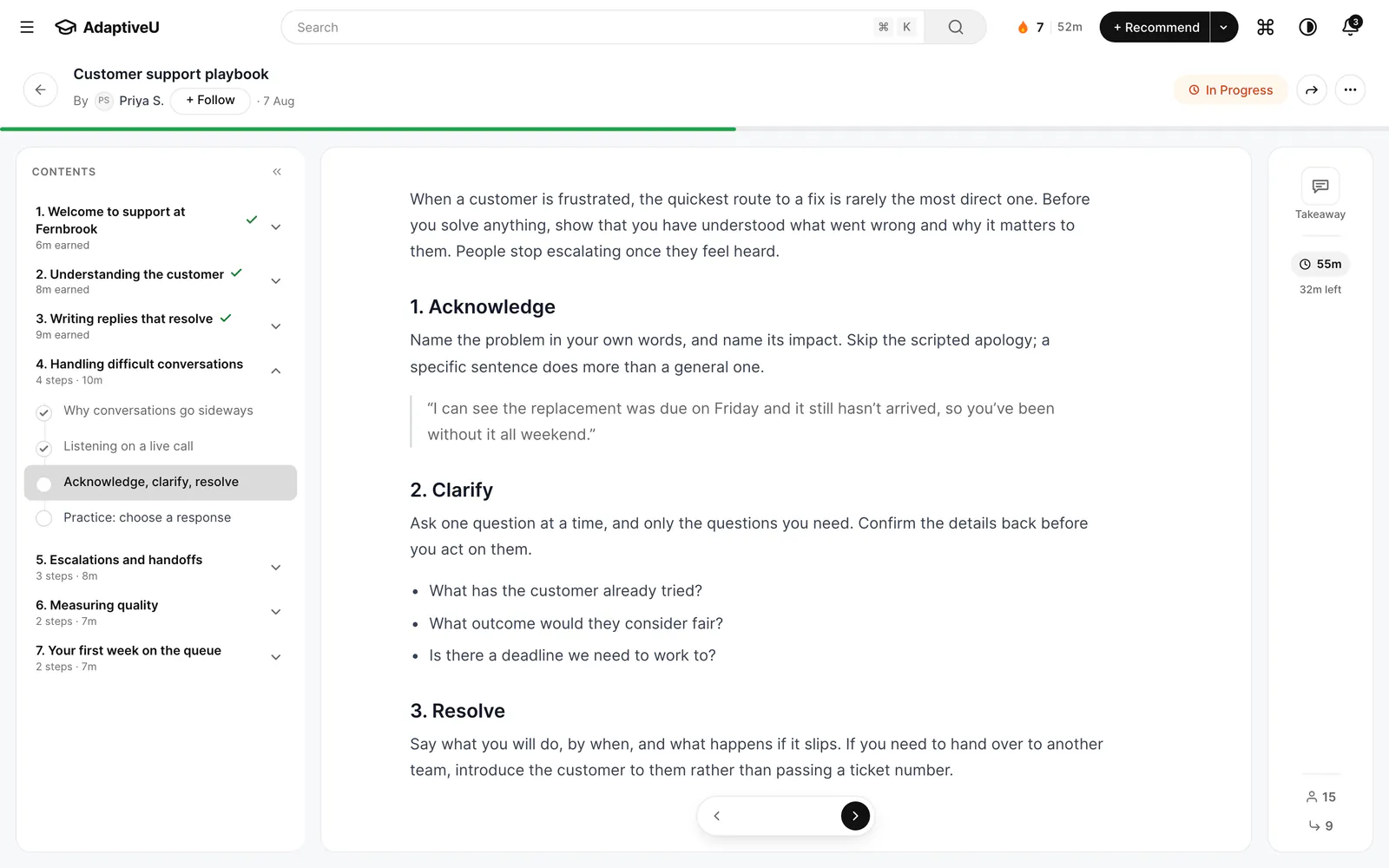
A ticked outline, Prev and Next, and a takeaway panel.
Taking courses
Ask Multiple choice, Checkboxes or True / False questions.
Taking courses
Download a certificate with a unique ID, or print it.
Taking courses
See each colleague’s progress on a course.
Required training
Required courses appear in every learner’s To Learn.
Required training
Dates turn amber 7 days out and red when Overdue.
Required training
Required courses top the Courses page, soonest due first.
Content library
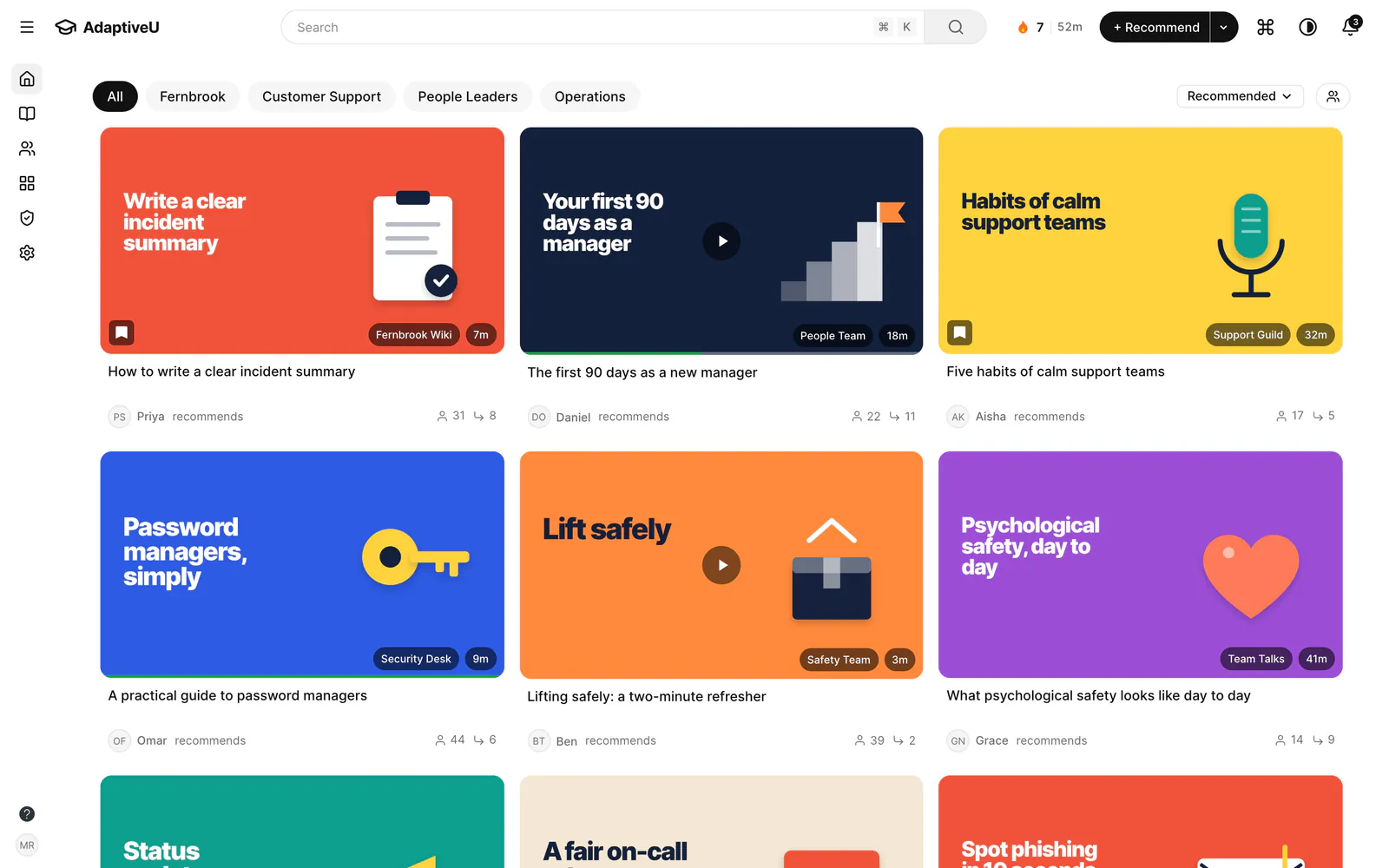
Share videos, articles, podcasts, books and tools with your workspace.
Content library
Sort Home by popular, recent or people you follow.
Content library
Videos play in AdaptiveU with an Up next list.
Content library
Podcasts, books, articles and tools each get their own look.
Content library
YouTube, Vimeo, Spotify, Loom, Google Drive and more play inline.
Content library
Type a title to get the cover, author and rating.
Content library
Filter to books and sort them in a table.
Content library
A link can live in the feed and several tracks.
Content library
Admins merge copies, keeping notes, progress and shares.
Content library
A nightly check flags removed or private YouTube videos.
Content library
Click a count to see the people behind it.
Content library
Tag content, browse by tag, combine tags in search.
Takeaways
Write what you learned on any link or lesson.
Takeaways
Takeaways save as you type and sync across devices.
Takeaways
Colleagues’ takeaways show only after they complete the item.
Takeaways
Show notes from one colleague or a few.
Takeaways
Like a colleague’s takeaway and they get notified.
Tracks
Anyone can join Public tracks; Private ones are members only.
Tracks
Add everyone to a track, including future joiners.
Tracks
Switch Home, Courses and Search to one track’s view.
Tracks
Set the order of a track’s courses yourself.
Tracks
Place a course in several tracks without duplicating it.
Tracks
Each track ranks people on its own content.
Tracks
Add or remove people in bulk and name track Managers.
My Learning
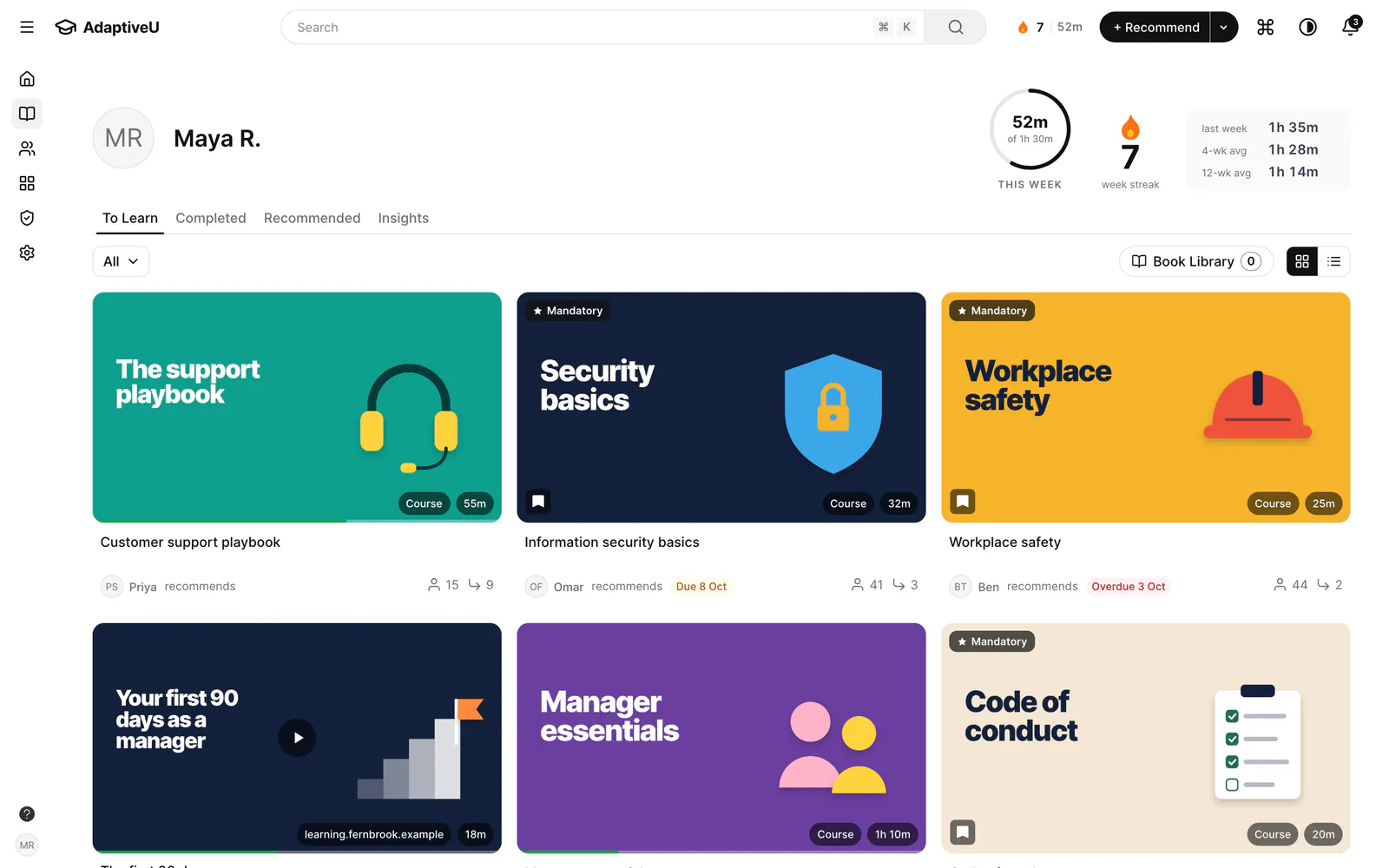
Your To Learn, Completed, Recommended and Insights tabs.
My Learning
A ring shows this week’s minutes against the weekly goal.
My Learning
Your streak counts consecutive weeks with learning.
My Learning
Owners and Admins set the workspace’s weekly minutes target.
My Learning
Give each team its own weekly minimum.
My Learning
Your goal, streak, time learned and a daily heatmap.
My Learning
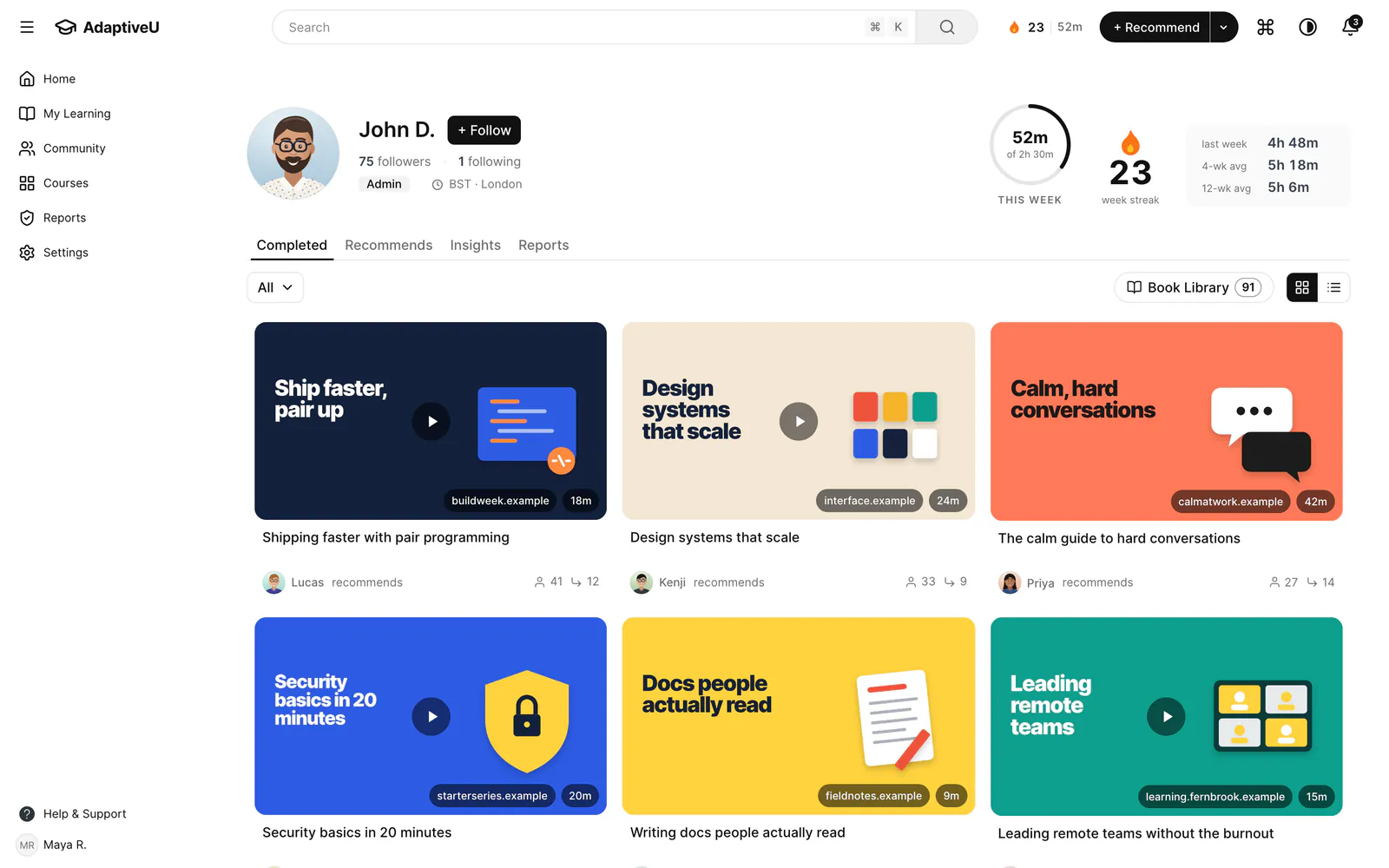
Each member’s profile shows what they completed and shared.
Social and sharing
A share notifies people without filling their list.
Social and sharing
Copy a readable link or paste a list of emails.
Social and sharing
Follow colleagues and filter Home to Following.
Social and sharing
A Community tab for the people who spread learning.
Social and sharing
Weekly learning-minute rankings for the workspace and each track.
Social and sharing
Shared links show their real title and thumbnail in chat.
People management
Leaderboard, Multipliers, Team and Tracks tabs in one place.
People management
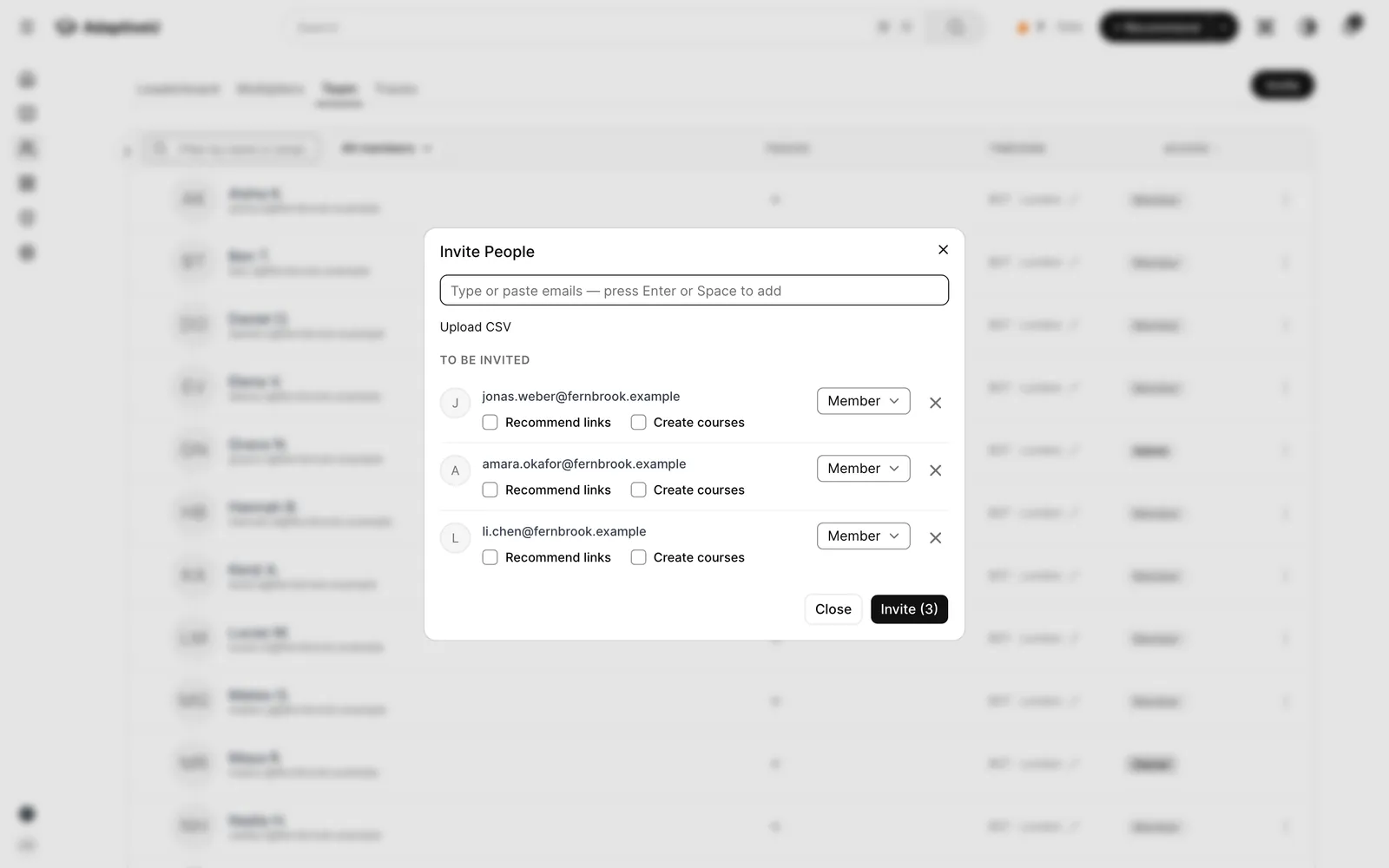
Invite people by email or upload a CSV file.
People management
People with your company email join without an invite.
People management
Three workspace roles, plus Manager and Member on tracks.
People management
Group people into teams for goals and filtering.
People management
Weeks, streaks and reminders follow each person’s clock.
Reports
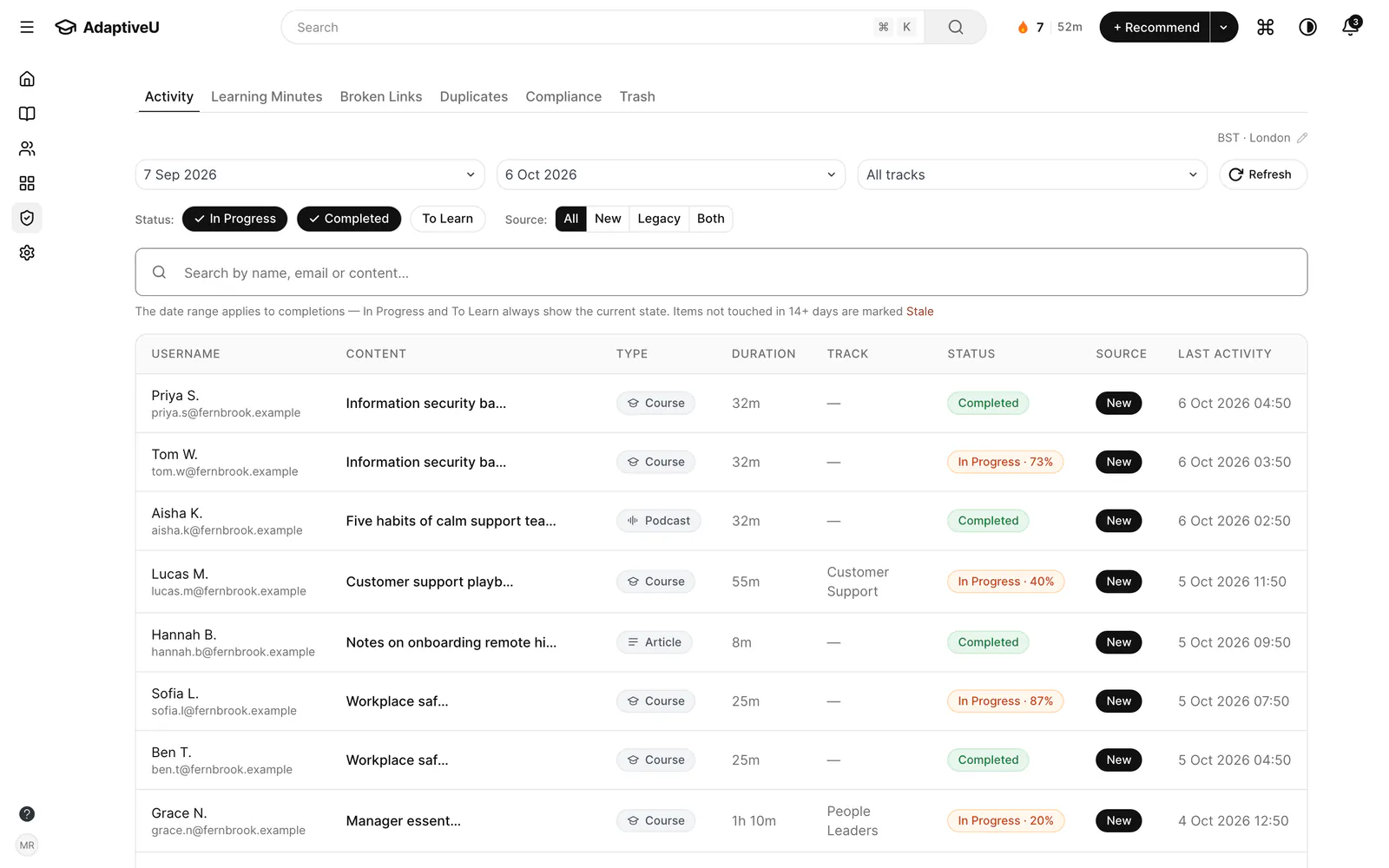
Activity, Learning Minutes, Compliance and more for Owners and Admins.
Reports
See every credited minute as it happened, and export CSV.
Reports
Average progress, quiz scores and a filterable learner table.
Reports
Each broken video names its course, lesson and author.
Reports
Deleted courses, links and tracks wait 30 days, progress intact.
Search and shortcuts
Jump to any page, course, link or person.
Search and shortcuts
Search links, courses and people at once.
Search and shortcuts
Type #leadership to see everything with that tag.
Search and shortcuts
Search stays in your track and widens when nothing matches.
Search and shortcuts
⌘K opens the menu, D switches theme, arrows seek video.
Notifications
Follows, likes, completions and goal updates in one bell.
Notifications
Monday kickoffs, end-of-week reminders and goal congratulations.
Notifications
Invites, password resets and shares arrive by email.
Notifications
Shares arrive as AnywhereWorks chats; completions post to your feed.
Platform and access
Create an account with Google or email.
Platform and access
Each organisation gets its own workspace and address.
Platform and access
Upload your logo in Settings ▸ Branding.
Platform and access
Owners upgrade in Account & Plan and pay by card.
Platform and access
Light, dark or match your device; press D to switch.
Platform and access
Add AdaptiveU to your home screen and get push notifications.
Platform and access
A bottom tab bar and a phone-friendly course player.
Platform and access
AA contrast, large touch targets, visible focus and reduced motion.
Platform and access
Pages load from a CDN and feeds scroll without slowing.
Platform and access
Searchable answers, a support page and What’s new.
Platform and access
Report a problem with a screenshot from the Help menu.
AI
Home ranks content on speaker, relevance and substance.
AI
Recommend a link and AdaptiveU suggests three to five tags.
AI
One-tap tags from a course’s title, overview and lessons.
AI
Admins see suspected duplicates and non-learning content in one place.
Start with up to 25 users, 5 courses and 3 tracks.

Social and sharing
Pay it Forward
Send content to colleagues with a note.