Train your team. Know who’s done it.
Courses, due dates and progress in one place. Free for up to 25 users.


What customers say
“AdaptiveU is our learning platform for orientation for all new volunteers. They are able to use the system at their own pace, download the required documents, and watch the orientation videos.”


On a phone
From their feed to Completed
Recommended, To Learn, the course itself and Insights, on the phone they carry.
How it works
Make it required. See it done.
Mark a course Required with a date. It lands on everyone’s To Learn list.
Get started- Required
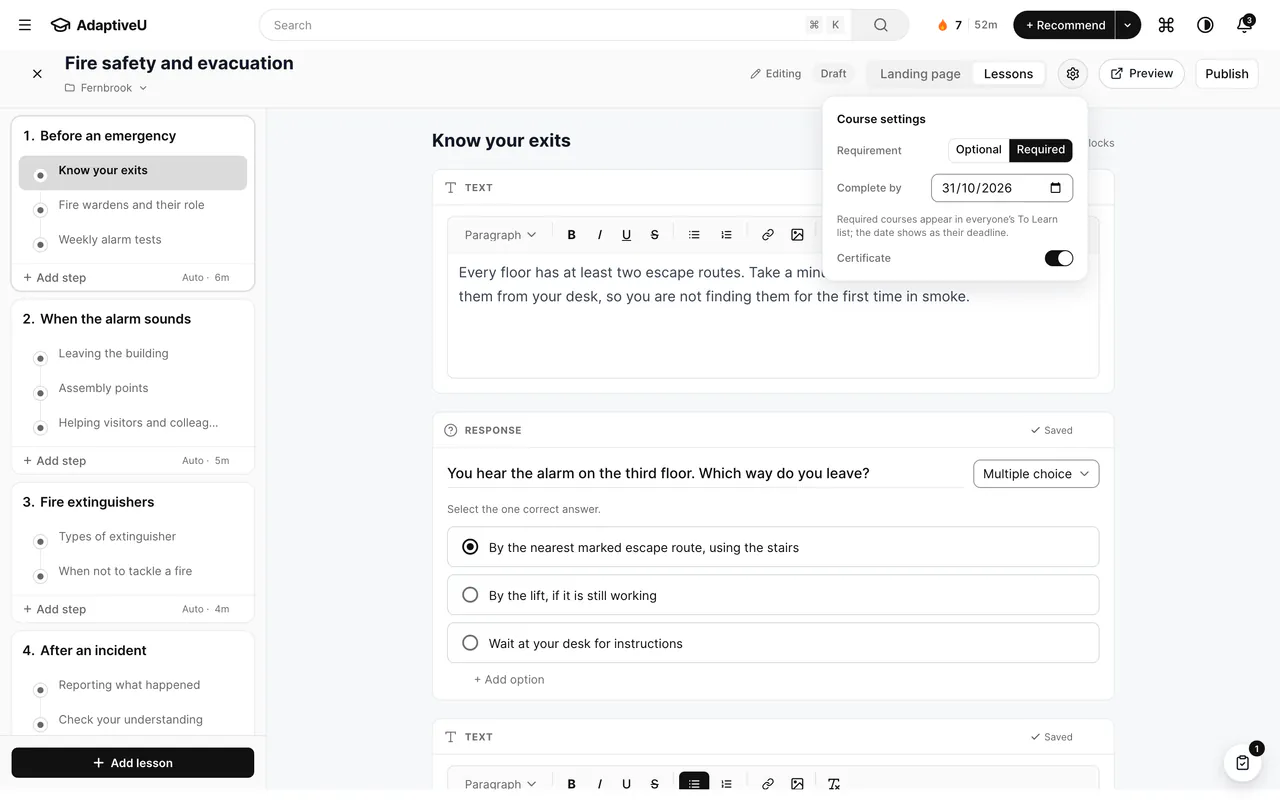
Make it required
In Course settings, set it to Required and pick a Complete by date.
- Due date
The date shows on their list
It turns amber 7 days out and red when Overdue.
- Done
Track who finished
Average progress, quiz scores and a row for every learner.
Built into every course
Build a course in the browser
Lessons, quizzes and video, with a checklist that says when it’s ready.

Quizzes with a pass mark
Multiple choice, Checkboxes or True / False, with a pass mark and best scores.
Made for the phone in their pocket
Every course works on a phone and installs like an app.

See who finished, and who hasn’t
Progress, scores and last activity for every course, per person.

Build a course in the browser
Lessons, quizzes and video, with a checklist that says when it’s ready.
Quizzes with a pass mark
Multiple choice, Checkboxes or True / False, with a pass mark and best scores.
Made for the phone in their pocket
Every course works on a phone and installs like an app.
See who finished, and who hasn’t
Progress, scores and last activity for every course, per person.


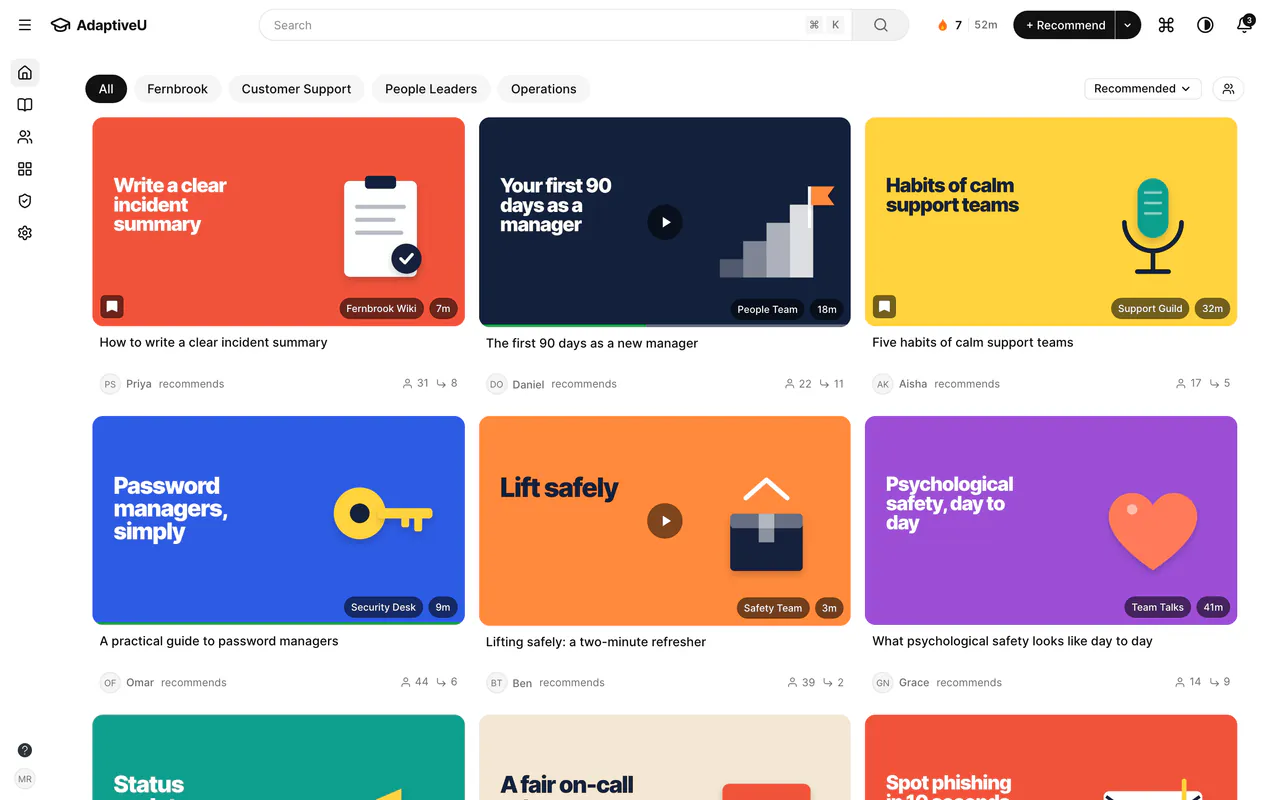
Up and running in three steps
Sign up free
Create an account with Google or email. Free for up to 25 users.
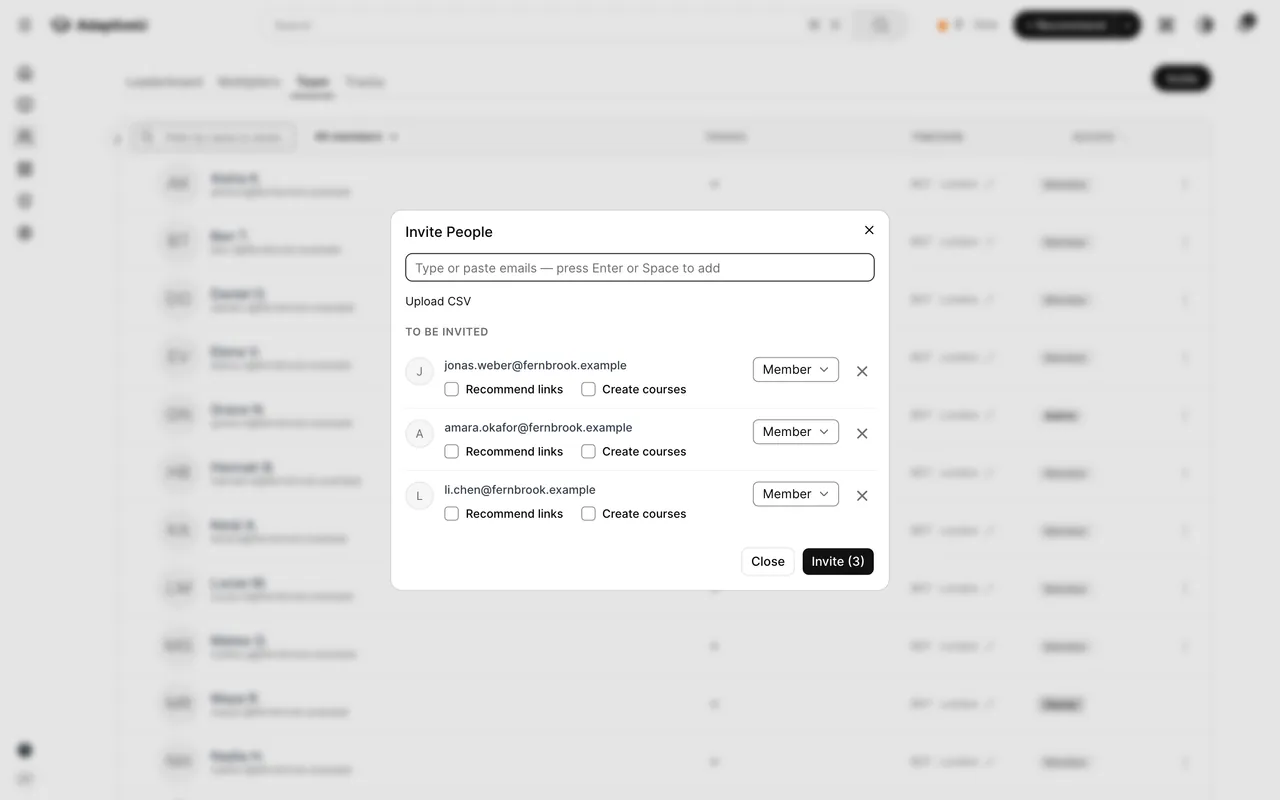
Invite your team
Invite people by email, or upload a CSV file to bring everyone in at once.
Make a course required
Set it to Required with a Complete by date. It shows on everyone’s To Learn list.
Is there a free plan?
Yes. Free covers up to 25 users, 5 courses and 3 tracks, with every feature included.
Can I make a course required?
Yes. Mark it Required and set a due date. It turns amber in the last 7 days and red when it is overdue.
Which videos does AdaptiveU resume?
YouTube, Vimeo, Spotify and uploaded videos reopen at the second you stopped.
Does it work on my phone?
Yes. It runs in your browser, and you can install it on your home screen for reminders.